Can be useful but requires a fair bit of post-processing, certainly for the C generation feature - I haven't tried LGL. The window dimensions are always 800x400 so at first run it can look as if all or most of the layout has vanished - manual mods required. Misses stuff like the definition of text for names - manual mods required. Can duplicate definitions as well, occasional misnaming - manual mods required. But after some massaging it does start up a window, draw and operate the controls and close down cleanly at exit. Certainly useful for getting a gist of the raygui/raylib functions and callbacks. Best thing of all is it uses C throughout which makes it a good basis for GUIs written by hard-bitten C warriors like me!
This is a really nice tool, Good job! Would be nice if we could zoom in/out, Also if we could choose the resolution, My App screenWidth and screenHeight don't match the tool resolution.
I have a 4k display and unfortunately this program renders too small to use on it. It would be nice to see implemented an option to increase the scaling like in the sound effect generator.
← Return to tool
Comments
Log in with itch.io to leave a comment.
Is there a way to re-link a control to an anchor if it was unlinked from an anchor?
Can be useful but requires a fair bit of post-processing, certainly for the C generation feature - I haven't tried LGL. The window dimensions are always 800x400 so at first run it can look as if all or most of the layout has vanished - manual mods required. Misses stuff like the definition of text for names - manual mods required. Can duplicate definitions as well, occasional misnaming - manual mods required. But after some massaging it does start up a window, draw and operate the controls and close down cleanly at exit. Certainly useful for getting a gist of the raygui/raylib functions and callbacks. Best thing of all is it uses C throughout which makes it a good basis for GUIs written by hard-bitten C warriors like me!
This is a really nice tool, Good job! Would be nice if we could zoom in/out, Also if we could choose the resolution, My App screenWidth and screenHeight don't match the tool resolution.
This tool is intended for pixel-perfect raygui designs so scaling was not exposed but it could probably be added.
About resolution, what do you mean? Independently of the scaling the resolution of the created layout is always the same...
int gui_status_bar_height = 24; int gui_window_close_button_height = 18; #define RAYGUI_WINDOWBOX_CLOSEBUTTON_HEIGHT gui_window_close_button_height #define RAYGUI_WINDOWBOX_STATUSBAR_HEIGHT gui_status_bar_height #include "raygui.h" Rectangle GuiLayoutScaleRect(Rectangle rect, Vector2 anchor, float scale) { return (Rectangle) {rect.x * scale + anchor.x, rect.y * scale + anchor.y, rect.width * scale, rect.height * scale}; } GuiLayoutState InitGuiLayout(float screen_width, float screen_height, float padding) { GuiLayoutState state = {0}; float orig_width = 400.f; float orig_height = 192.0f; float offset_x = 8.0f; float offset_y = 32.0f; float scale = (screen_width - 2.0f * padding) / orig_width; if ((orig_height * scale) > (screen_height - 2.0f * padding)) scale = (screen_height - 2.0f * padding) / orig_height; float window_width = orig_width * scale; float window_height = orig_height * scale; float window_x = (screen_width - window_width) / 2.0f; float window_y = (screen_height - window_height) / 2.0f; state.Anchor = (Vector2){window_x + offset_x * scale, window_y + offset_y * scale }; state.LayoutRects[LO_WINDOW] = (Rectangle) {window_x, window_y, window_width, window_height }; state.LayoutRects[LO_MORE] = GuiLayoutScaleRect((Rectangle){114, -32, 96, 24 }, state.Anchor, scale); // ... GuiSetStyle(DEFAULT, TEXT_PADDING, (int)(4.0f * scale)); GuiSetStyle(DEFAULT, TEXT_SIZE, (int)(16.0f * scale)); GuiSetStyle(DEFAULT, TEXT_SPACING, (int)(1.0f * scale)); GuiSetStyle(DEFAULT, TEXT_LINE_SPACING, (int)(24.0f * scale)); GuiSetStyle(VALUEBOX, SPINNER_BUTTON_WIDTH, (int)(24.0f * scale)); GuiSetStyle(VALUEBOX, SPINNER_BUTTON_SPACING, (int)(2.0f * scale)); GuiSetStyle(VALUEBOX, TEXT_PADDING, (int)(4.0f * scale)); GuiSetStyle(SLIDER, SLIDER_WIDTH, (int)(16.0f * scale)); GuiSetStyle(SLIDER, SLIDER_PADDING, (int)(1.0f * scale)); GuiSetIconScale((int)scale); gui_status_bar_height = (int)(24.0f * scale); gui_window_close_button_height = (int)(18.0f * scale); return state; }The lack of tooltips makes this awkward to use.
Maybe it is just my browser, but when I go to the downloads page it does not show the downloads files?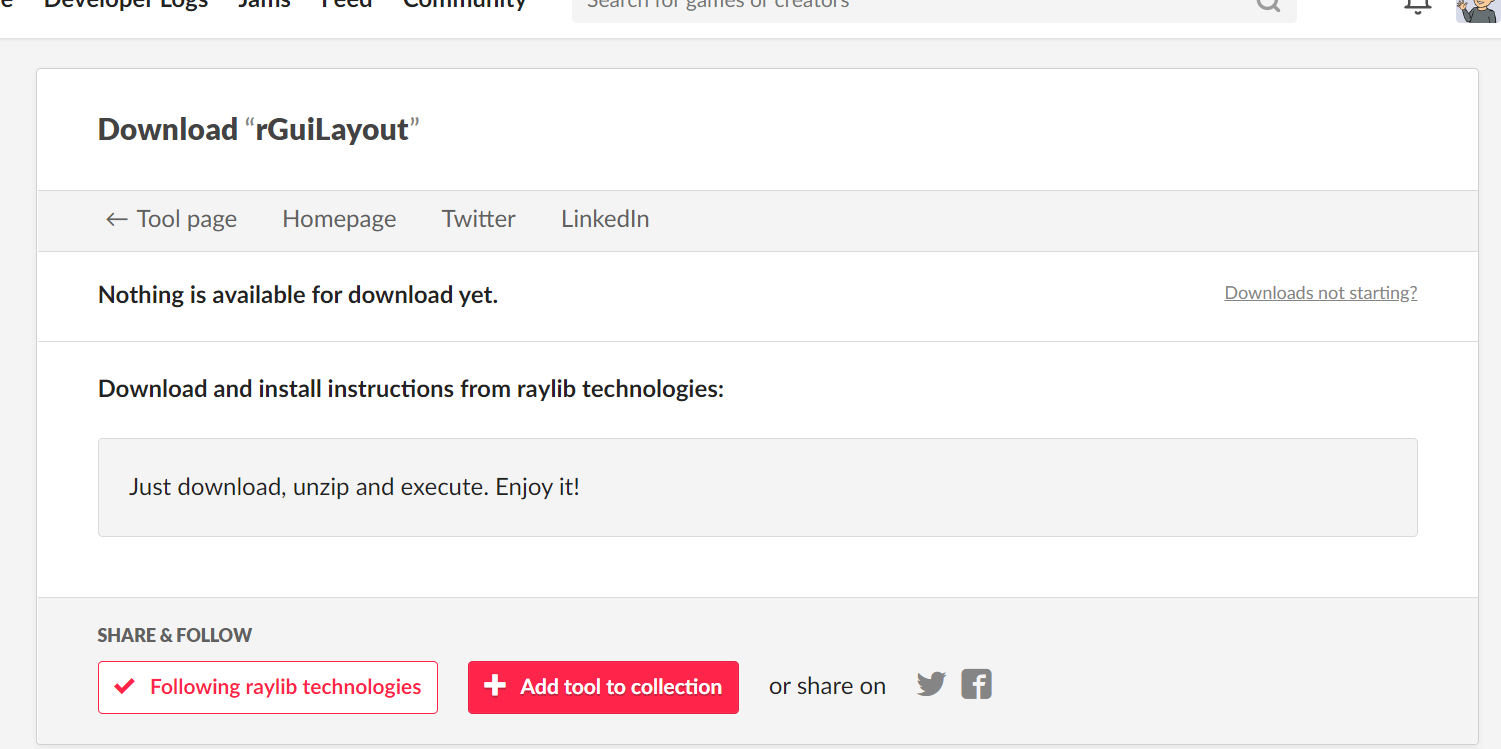
The web version can be used for free but the desktop versions require a donation of $20 or more.
Ahh I see, thank you!
Not now at least
I have a 4k display and unfortunately this program renders too small to use on it. It would be nice to see implemented an option to increase the scaling like in the sound effect generator.